Development Updates

All the latest features, improvements and fixes in one place

v2.6.0

Angled 1D Cutting Support

Angled Cutting

Precision meets efficiency! You can now define cutting angles between 30° and 150° for 1D linear materials such as profiles, bars, and pipes.

Features

  • Adjustable cutting angles from 30° to 150°
  • Supports profiles, bars, pipes, and linear materials
  • Advanced waste reduction logic for angled cuts
  • Seamless integration with stock and purchasing workflows
v2.5.1

Multi-Item Clipboard System

Multi Clipboard

The clipboard system has been completely redesigned. Now when you delete parts, they are stored in a multi-item clipboard instead of being lost. You can delete multiple parts and paste them back one by one or all at once to any sheet.

Features

  • Store up to 20 deleted parts in clipboard
  • Visual list showing all clipboard items with dimensions
  • Click to select which part to paste
  • "Paste All" option to restore everything at once
  • Remove individual items from clipboard
  • Clear all clipboard with one click
v2.5.0

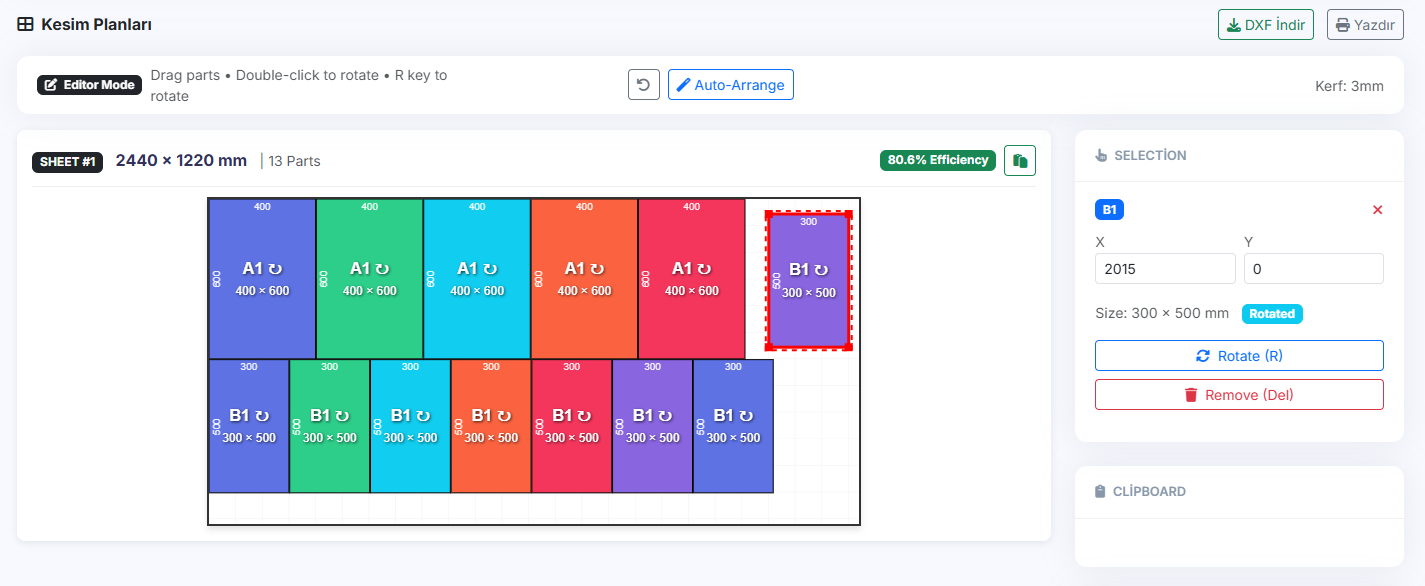
Interactive 2D Editor

Interactive Editor

After optimization, you can now manually adjust the cutting layout with our new interactive editor. Drag parts to reposition them, rotate pieces, and even move them between different sheets. The editor respects kerf settings and prevents overlapping parts.

Features

  • Drag & drop parts to reposition
  • Double-click or press R to rotate parts
  • Move parts between different sheets
  • Kerf-aware collision detection
  • Visual selection with red border
  • Right panel shows selected part details
  • Edit X/Y coordinates manually
  • Undo support (Ctrl+Z)
v2.4.0

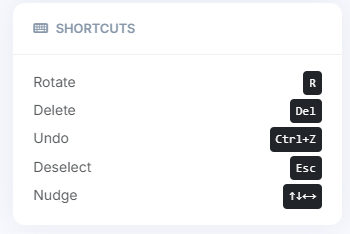
Keyboard Shortcuts

Keyboard Shortcuts

Speed up your workflow with new keyboard shortcuts. Select a part and use these keys to quickly manipulate your cutting layout without reaching for the mouse.

Key Action
R Rotate selected part 90°
Del Delete part (moves to clipboard)
Nudge part by 5mm
Ctrl + Z Undo last action
Esc Deselect current part
v2.3.5

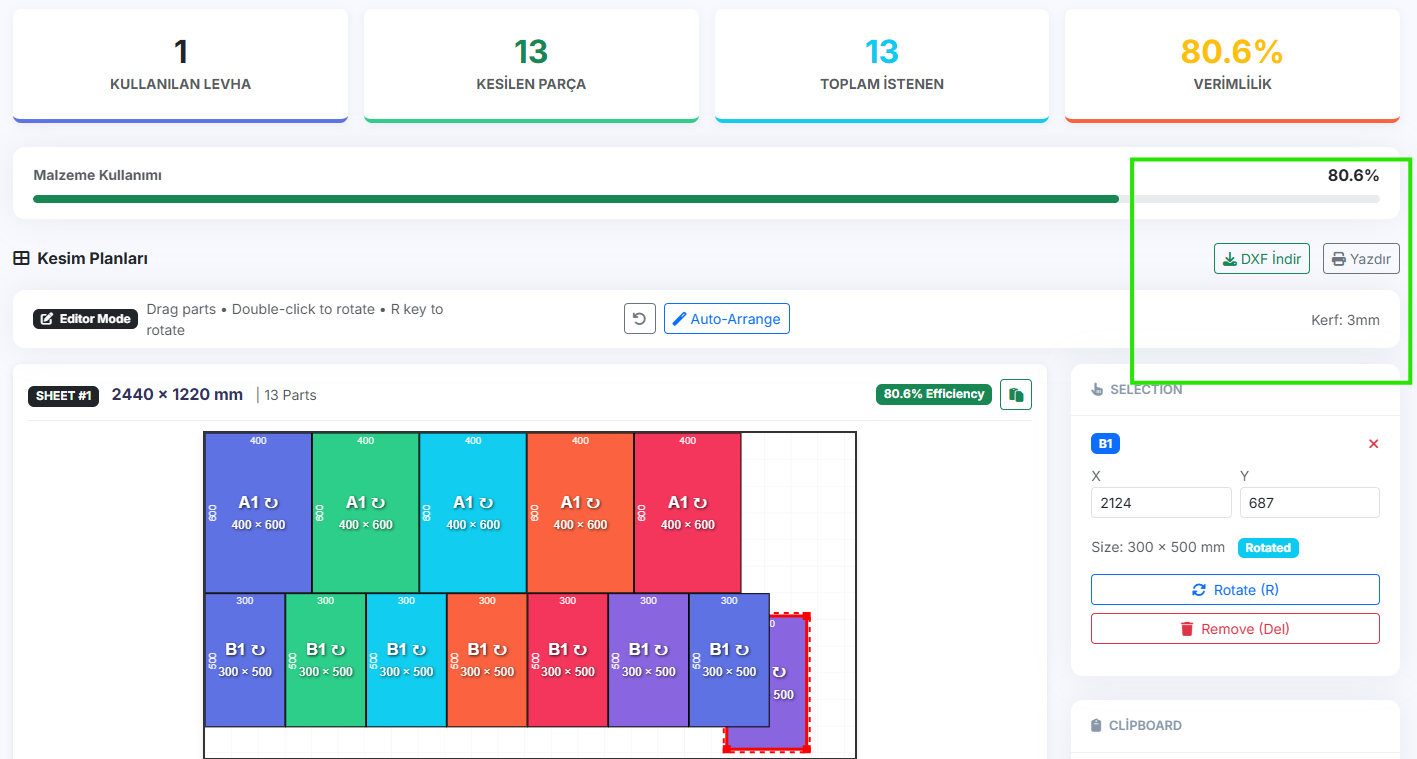
Kerf-Aware Collision Detection

Kerf Detection

The collision detection system now takes the blade kerf into account. When you drag parts, the system ensures there's enough space between pieces for the saw blade. A subtle red margin is shown around parts to visualize the kerf zone.

Features

  • Collision detection includes kerf width
  • Visual kerf margin displayed on canvas
  • Automatic snap to valid position
  • Warning when collision detected
v2.3.0

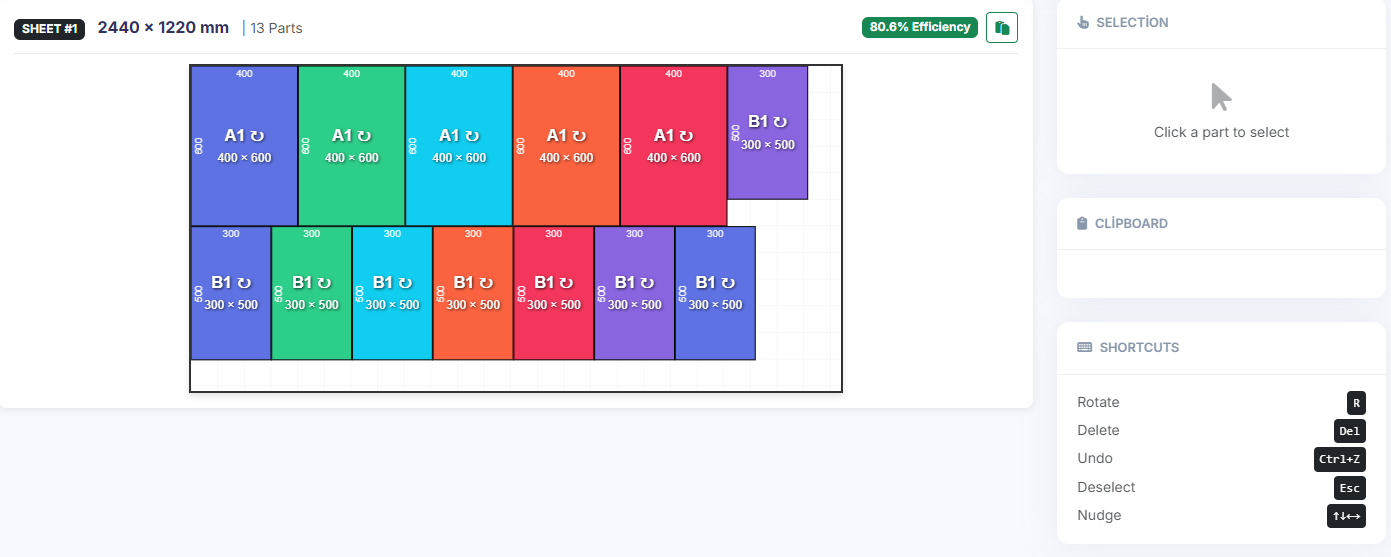
Enhanced DXF Export

DXF Export

DXF export now reflects all your manual adjustments. After using the interactive editor to reposition or rotate parts, the exported DXF file will match exactly what you see on screen. Perfect for CNC machines and CAD software.

Features

  • Exports manual adjustments
  • WYSIWYG - What You See Is What You Get
  • Compatible with AutoCAD, Fusion 360, etc.